I started blogging when I was doing some Moocs online some years ago.
I am still blogging about education and the use of technology in my job.
I am a life-long learner and love doing what I do.
After some months I am back and this the time for starting working again.
Just started the course TEACH AND ENGAGE ONLINE thanks to Doctor Nellie Deutsch.
Here you can see the main framework of the course TAElO Course 2020.
I could not resist since I do not know what will happen in September.
Meanwhile holidays are spent at home. I do hope next year I will be able to travel again and I will feel safe, right now I am feeling that most of us might face difficulties.
In the last years I have been working online and doing some interesting activities thanks to EVO.
EVO means Electronic Village online and it is run for free by leading educators living in many countries.
Every year starting from January we can work for 5 weeks and learn about how to teach and work in English
I have saved the main presentation online which has been shared by Doctor Nellie Deutsch on FB:
You can register starting from 5th January and then you can choose the courses you are interested in.
I did some courses about ebooks and creating ebooks, Flipped Learning, working on CLIL and many more.
What I have learnt is that many educators can share ideas and work together. I have also learnt to work on different LMS and platforms.
If you are willing to develop as an educator you cannot but work online and try a course on EVO in 2020.
I wish to thank all the great educators who have made this possible .
Streamline correction and feedback on student writing utilizing Google Docs and voice
Vance Stevens made his presentation on 4th August but I watched the recording online this week as I did not follow the events on the day they were scheduled.
The video presented how you can support learners when using Google Doc and also Google Slides while educators can post their comments on the students' own writing.
Correction and feedback are crucial for learners and Google apps can really help you. The approach was simple and he made me realize that in some ways I could work on some activities in class in the same way.
I had not thought about the feature of using voice and this was a new feature for me. I usually print documents and correct them. Thanks to comments on a document learners can share the tasks and be given feedback or streamline correction. Going paper is important and working online is really good.
When I watched the recording I thought that learners need to have a Google account and now most of my students do have one but I also teach a lot of students so as a result I do need to rely on a lot of time. Not having to print and to write on a piece of paper is fine, I will have to work on the way I want them to share the documents with me. My students are not good at using some apps and will have to be taught how to work.
While working online I realized that some features of Google Docs had been presented by Eric Curts who is a specialist of Google apps.
I checked among the links I had collected and found out that there are some interesting ways for providing feedback.
Some use video recording https://screencastify.com to record the document and the comment on the document online and then share the video.
What I can say is that I am going to explore more the tools as probably I am not aware of what is offered now and hopefully many tools are free.
Other useful links which I have found about Google tools and feedback
Eric Curts http://ti.apps.sparcc.org/videopd/20160922-docs-feedback In an online session he explored four fantastic tools to provide feedback that is more detailed, engaging, and personal. Tools included Google Doc text comments, voice comments with Read&Write for Google, video feedback with Screencastify, and natural handwriting feedback with the Google Classroom mobile app. Session resources: http://tiny.cc/sparcc238
The event took place on 4th August and the speaker was Edoardo Lina.
I watched the recording online later and I was sure it would be an interesting report about his experience.
Its main theme was presenting Moodle in education in Israel. He focussed on the hard work he has been doing for " Going Moodle" supported by his government . The training was for all educators and what is really interesting is to learn that Moodle is used in secondary schools and also at university in Israel.
Here you can see some more links related to his great work in Israel.
Edoardo recorded also this podcast two years ago. It was an interesting experience to share his ideas online too.
The Department of Education of his country has worked together with the Chief Inspector to have more educators involved in teaching and learning thanks to Moodle.
The idea was to work on a blended learning approach and to support educators who would become teachers who would work in English and also in projects thanks to this LMS.
My reflections on the webinar were positive: I also like Moodle as a LMS but in most secondary schools in my country we are using Google Classroom or Weschool. Both systems provide collaborative activities and you can monitor the students' progress and provide grading. Moodle is used for CPD on line for educators and at university in Italy.
Since Moodle requires people who can work well online I think that for some learners starting working online should be done when they are 14-15 years old. For university students it is the perfect tool for managing courses and working online too. They can find resources and work on projects or activities, they can post comments and I feel that they are more used to working online as this is required in most universities.
The next step for me is to continue my exploration into LMS and check which one is the best and the easiest one to use. In particular I would never use Moodle with students who are ten years old or younger.
I must add that for some educators who are not experts it would be difficult for them to use Moodle in Italy.
To read or not to read…………… That is the Question!!
Reflecting on the Webinar of Judy Wong
The event took place on 3rd August and it was a reflection on the ideas about teaching reading and what makes reading something which is not loved by the learners. I am familiar with this as most of my students love watching videos and interacting online but they seem to hate reading books.
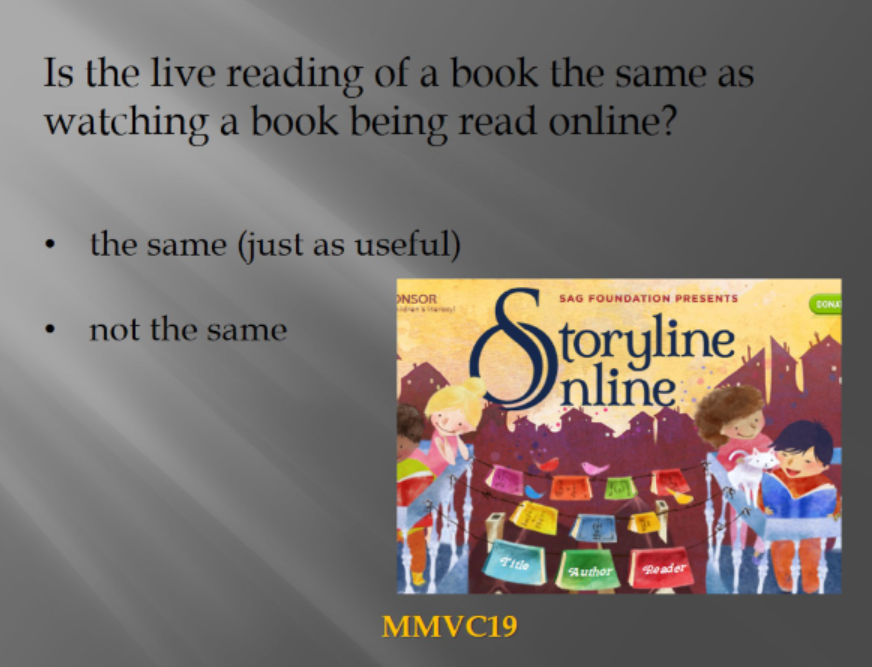
Her talk was focussed on the benefits of book readings in person versus a book reading in a video.
As I was not at home I watched the recording, I must confess that Judy is a loving person and I like the strategies that she uses to get her learners interested in reading regardless of the students' age.
She shares her ideas in her blog where she also keeps the main recordings of the webinars she took part in and also shares her slides.
You can find more here: Judy's world- her blog
Here you can find some meaningful ideas and reflections which Judy used in the presentation she made.
Some key ideas she shared with us and which made me think and reflect:
reading as a child and reading with a child are not the same things
when working on reading we should not pre-teach the book and also the lexis
interest in reading is important
everybody is different
An aspect which is important is to open the door, the mind and get the learners imagine and work on the book. Reading a book together and maybe get the learners imagine about the setting, the place and the characters
Imagination is the key word.What I will do in the future
I cannot do the course which Judy is going to start in autumn but I wish I could.I am starting some courses online and this implies that I will work 24/7 as we have a lot of tasks at school.
I will try to find different strategies to get my students into the habit of loving reading a book.
A book can be read and taken anywhere and it can really help us feel happy, ready to start a new journey and sometimes feel less lonely.